
Digital Marketing for Small Business Owners

Digital marketing has grown into a complete monster of opportunities, but if you don’t use it and use it well, you are simply not “heard” in today’s marketplace because of how much business leads has moved to the digital realm! Almost all of your potential clients are using social media and other digital resources. If your business is not visible in these platforms, you are simply not going to be seen by potential new clients.

Let’s first understand a little but about digital marketing. Digital marketing is the outreach we do using various digital tools, applications, platforms, etc…. For a more complete explanation, check out this breakdown from the American Marketing Association. To break it down into tools and/or categories most of us recognizes.

  • Social Media — Facebook, Nextdoor, Linked In, Instagram, etc…. Emo @ Street Team has an app that small business owners can set up to greatly expand their exposure on Social Media by leveraging their employees for very minimal costs!
  • Search Engines — SEO (search engine optimization) is where an expert (like Mike @ House Reno Profits) takes specific steps to position your company near the top of the results for the major search engines like Google….when related to topics like your company identity, your company product/services, and geographical location.
  • Email — Email marketing campaigns are really starting to either replaced or be coordinated with a traditional snail mail post card or flyer campaign. Alisa Cook @ Ally Market Systems knows how to make an email campaign that combines with LinkedIn that is painless and results in “real leads”.
  • Internet — The ability to host, post, search, etc… for information is almost limitless. This can be both a curse and a benefit. Curse if the information is slanderous, inaccurate, or bad and benefit for reaching potential clients you would otherwise miss, providing understanding without tying up your personal time, and really helping a client understand your product and/or services.
  • AI (Artificial Intelligence) — this is the latest to be added to your digital marketing tools or platforms. If you understand AI, it can be leverage to automate many of the tasks involved in your business processes including marketing, speed up but not replace the creative process for new marketing content, and provide summary or detailed research quickly.

An IT professional that understands digital marketing can help you navigate the best results with the most effective usage of your resources. For example, almost any business should start with a website. As a small business owner, you might even be designing the site yourself using something like GoDaddy. If you coordinate with an IT professional that understands marketing, they can help make sure the infrastructure of your website is set up to be easily found by various search engines, your website includes a “landing page” that an email campaign uses to capture new clients, and integrates with social media profiles to have a consistent unified branding presence across multiple platforms!

Give me a call/text/email to get started optimizing your IT resources and knowing when to call in a specific specialist as your needs grow.
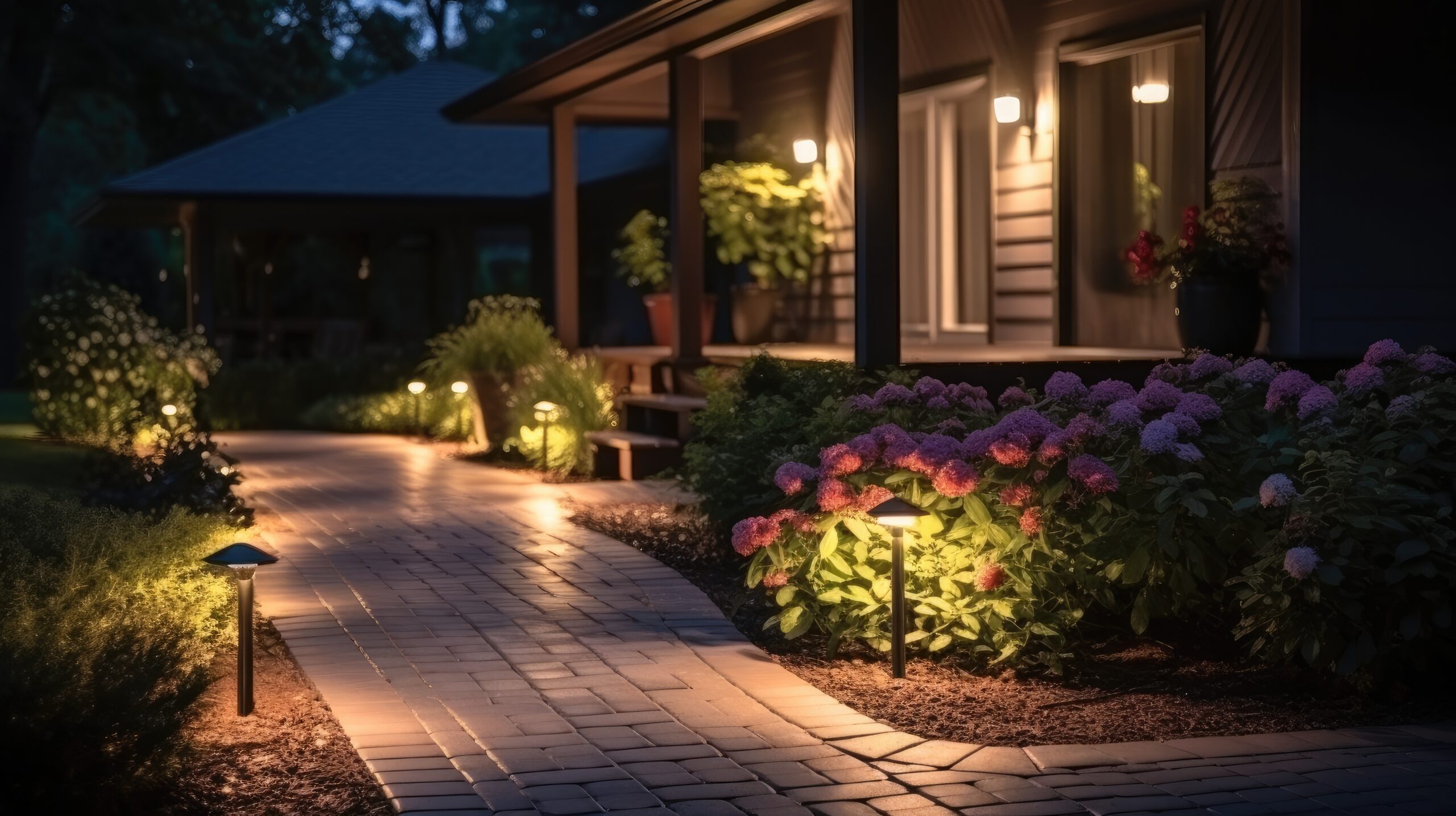
Your Home — Smart Outdoor Lighting

Most likely you have recently or will soon put up your outdoor holiday decor and this typically involves holiday lighting. Now, as you consider taking them down, let’s review your outdoor lighting and decide about how you want to make some home improvements. As you remove your outdoor decor, look over where lighting is bad, where do you have security concerns, do you have entertainment spaces that need different lighting when you have company over, outdoor steps that are a trip hazard due to bad lighting, etc….

Now divide your outdoor space into different zones. Most homes will have 4 zones: front, each side, and backyard. If you have a more complex outdoor space, you may want to divide into additional zones: back patio entertainment space, front walkway or driveway, etc…. When we set up smart lights, we assign them to a zone and then your controlling app will activate based on your choices one or more zones at a time. As an example, I may want my front door zone only to light up if it is nighttime and motion or doorbell activity at the front door. Another example would be motion detected in the backyard at night, but for safety, you want the backyard and both side yards to light up to ensure nobody can break into your home unnoticed.

So now that you know where you have concerns or issues as well as what you want to achieve, we can start looking at solutions. The first consideration is electrical. You do not NEED a wired power source because of the availability to use solar or battery solutions, but you need to know that before purchasing equipment. If you want items to be dependent on each other, the easiest solution is to keep everything in the same brand.

For purposes of this conversation I will use “Ring by Amazon” but multiple brands provide similar solutions. If you have a large estate, something like Josh AI is a great solution to automate and control multiple devices of different sources/brands. You are probably familiar with Ring doorbells, but they have motion activated cameras, floodlights, path lighting, etc… All of these items can be interconnected via their app, which you load onto your cell phone or access via your computer. Set up a zone called pathways, which could be solar-powered path lighting, that is set up to automatically come on from a dusk to down. For security, you can have your motion activated cameras automatically turn on any floodlight in their zone whenever it is dark and motion is detected. You could also add the “side zones” so that all sides of your house light up when the backyard cameras register motion. Finally, for an evening party, you can then turn on the “patio” zone. These lights could be setup on a dimmer so you have them provide the appropriate mode lighting and automatically override the evening motion activated full flood.

So as you set up and take down that outside holiday decor, review your setup for some home improvement opportunities. This is a great way to incorporate smart technology that provides the automation and improved security so you can simply enjoy your home. Give me a call if you want some help deciding on the correct equipment and how to design your lighting plan!

Backups and Long Term File Storage

There are an extensive list of options when it comes to desktop/laptop backups and/or long term file storage. First, before we talk about the pros, cons, and differences, let’s consider a few things:

  • You need to understand your industry requirements. If you are talking about patient medical data, military/government data, or company proprietary information, etc…. The first consideration is what rules are you required to follow. As an example, HIPAA requirements prohibit using a distributed server, so many of the default cloud tools would not be allowed.
  • What are your needs? Just about everyone should have a backup but what type and how often? The most common type of backup is incremental and happens automatically in the background. This is a very effective method for capturing data but does NOT capture application or program settings in most cases. Another form of backup is a disk image. This captures EVERYTHING, but it cannot be done automatically, and you cannot be making changes/using the disk as it is being imaged. Great solution for loaded multiple devices with exactly the same image on exactly the same hardware, so everyone has the same tools, but not useful for real time backups.
  • Media — When you are talking about file storage, what material or device you storage the data will be directly related to how long it will be viable for retrieval. You need to know how long you want to keep the data so you can pick a media/device that will exceed your requirements. You also need to understand the requirements of that media/device. For example, I know many users who stored their old tax returns on CDs. This seems like a very good idea. CDs are durable, can hold a lot of data, and relatively inexpensive. The problem is most people used labels with an adhesive that corrupted the storage data over time….or used something like a Sharpie as a labeling method. Unfortunately, just like the label adhesive, ink that is not specifically formulated for CDs will slowly over time destroy the stored data.
  • Have your backup plan/file storage design reviewed by an IT professional. There are too many nuances that can completely invalidate what you are trying to achieve with your backup or file storage system. Most IT professionals are exposed to many unique client situations and can help you prevent making the same mistakes that quite often results in SOS calls. Due to our IT industry exposure/networking, we know the latest technology options, changes in various industry regulations, and “horror” stories of data failures.
  • Unique geographic risk factors. For example, in California, we deal with wildfires. I personally have had multiple clients think that backing up to a local external drive at their business location was a good backup option. Only to realize they lost everything when a fire evacuation was ordered, and they had no ability to safeguard the original computer/laptop or backup device before it was destroyed by fire. A simple 3rd party cloud backup solution would have prevented loosing everything when they were unable to return to their home/business to remove the equipment from danger.

File storage and backup options seem very straight forward and simple, but these decisions when not implemented carefully can have catastrophic consequences.