Antivirus vs. Firewall – Do I Need One or Both?

What is an antivirus program and how is it different than a firewall program? Both are security programs commonly used on computing equipment, but they function very differently. Antivirus programs work by having a “definition” of viruses (think of it as a cheat sheet). It scans currently installed and incoming data or programs for programming code that matches those definitions. Firewalls are about network traffic and communication. They have a “cheat sheet” of malicious websites and prevent communication to or from those locations. More advanced firewalls will monitor the communications or traffic generated by the installed applications on a computer for behavior type to ensure something like a word processing program is not sending credit card numbers to a 3rd party. One works at the boundary between a computer and the internet. The other works at the point where data and programs are stored. Palo Alto breaks it down in more detail in this article!

The next question is do you need both or is one better than the other? For most of us, we should have both. Computer and internet security works most effectively when you layer defenses. A type of attack that can penetrate one defense is typically vulnerable to other types of defenses. Firewalls are GREAT at preventing problems but do NOTHING if something gets through. Antivirus software is good at scanning new files and programs, but really comes into play when something gets through the firewall. The antivirus will recognize the infection and remove it if possible. If not, most will quarantine the impacted files and await instructions on how to handle them. By combining both types of security you greatly reduce the potential impact of malware.

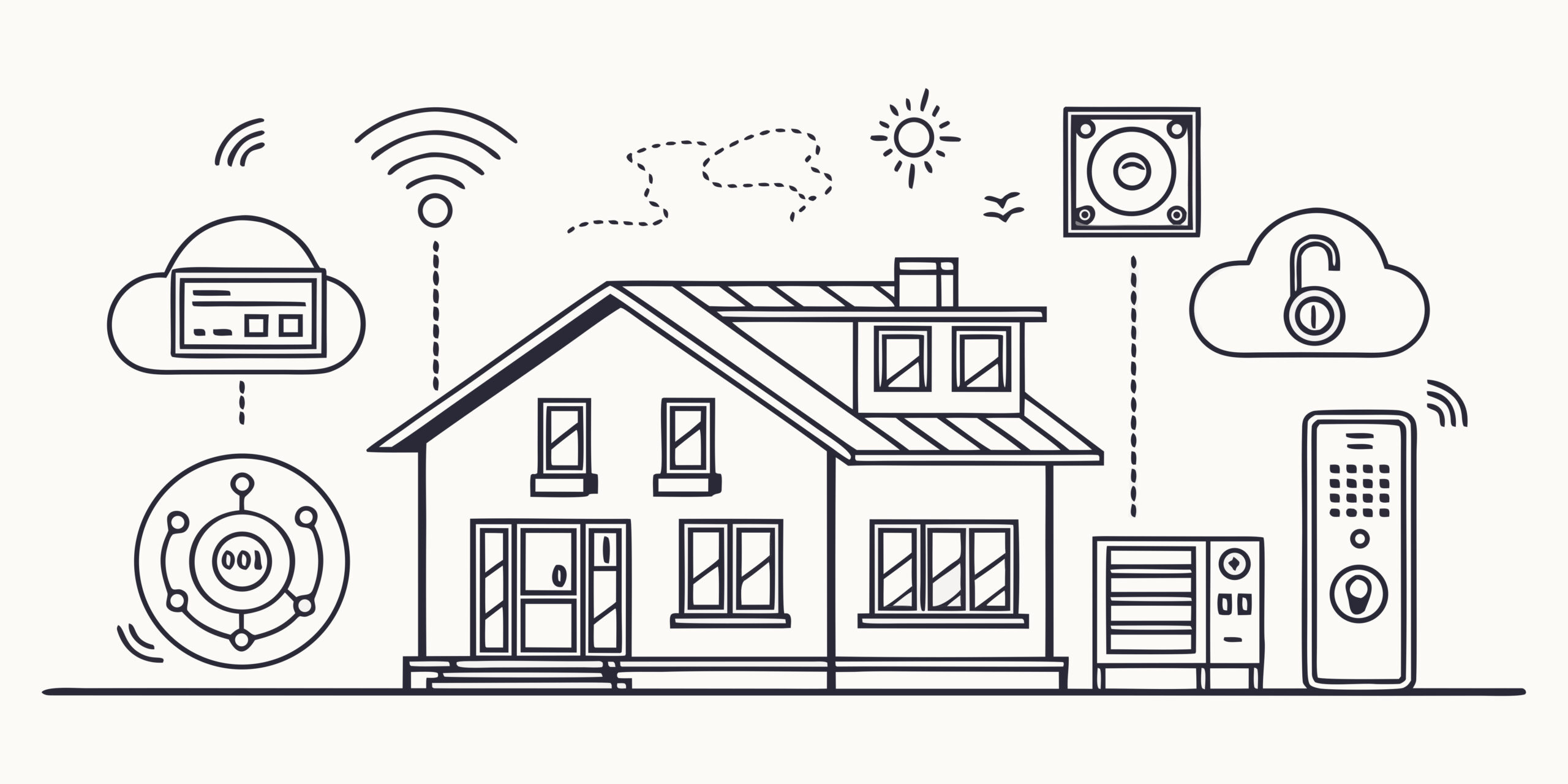
One of the areas I see exploited by malware is because the average user has everything connected (smart phones, computers, laptops, tablets, home smart appliances, cameras, etc…..) but doesn’t have everything protected. For some devices, like appliances, you cannot add stand-alone antivirus or firewall programs. It is very important on those programs (especially if they have any access to the internet or other devices) to update their firmware. The first question I get asked is what is firmware and how do I update it? Think of firmware as simplified software that involves the most basic of commands. For example, firmware will define to the rest of the machine what happens when an on/off button is pressed and what the “true/false, yes/no, positive/negative” signal from that button means. Almost all software today has a setting to either automatically update firmware OR to update it upon request. Really simple machines that do not connect to the internet (Example: an old toaster) never need an update to their firmware.

The next area of concern is devices connected to the internet and part of your home network that do NOT have a stand alone firewall or antivirus installed. The most common example is your smart phone. This is especially a problem because we use our smart phones to look up stuff, complete financial transactions, login to multiple accounts, etc…. This makes our smart phone a tier 1 penetration point (high risk) and yet commonly users only install a firewall and/or antivirus on their computer or laptop. Most never think about their smart phone.

What are some anti-virus and/or firewall products users can install or is the default/free stuff that comes with your operating system enough? In my opinion, if you are running a business or doing anything with money (including making purchases); you should have both installed. Free anti-virus and firewall programs are better than nothing but will not protect you from a major attack OR help prevent an infection from spreading. Forbes has a good article that breaks down the pros/cons for some of the major players. Some options are:

  • McAfee & Norton – probably two of the most well known providers. Both are approximately the same price, have protection for laptops/desktop/tablets/smart phones, require some computing resources to function and therefore will slow your device down some, have user interfaces that assume you are NOT a geek, etc….
  • Eset – has become more popular because of the quality of protection it provides and the minimal resources required to run.
  • Trend – very simple user interface that many users find intuitive to navigate.

If you wait for something to happen, the consequences are significantly more costly than if you take protective steps first. One of the first steps we all should take is to list all the devices that connect to your home/business network. Next, check the settings of any involved firmware to see which ones you need to schedule for manual updates. If they are on a schedule for automatic updates, users need to periodically check to make sure it is happening. Now you need to determine which devices have little or no protection but are capable of running a stand alone antivirus and/or firewall program. This will be just about all devices running an Apple, Windows, Android, or Chrome OS. Finally, install protection where you are able, ensure simple devices that cannot run stand-alone protection have multiple layers of security provided by various network devices, and remove network access for anything you determine is “not worth the risk” (Example: old gaming device that you never play but is connected to your network).

Finally, if you don’t feel comfortable doing this, you should be hiring someone like me to periodically review your devices and help minimize your risks.


Wi-Fi: What You Need to Know!

Wi-Fi is a topic that even if you are not a nerd or geek you need to know the basics. Why? Because very few of us exist without access to the internet and most of us are using a wireless connection to make that happen. The other common wireless options are cellular and satellite connectivity. Let’s talk about what Wi-Fi is. First, it is NOT an acronym. Unlike almost everything else involving technology, it doesn’t stand for something more long winded. In short, Wi-Fi is the international standard for computing technology to talk to each other over the wireless 802.11GHz frequency. For a more detailed explanation check out Cisco’s information.

Think of the internet as a major road/highway system with destinations. The websites and various applications or programs you access via the internet are your destinations. The road or highway that connects you from your laptop/desktop (starting destination) to various websites/cloud based applications is the internet. Now just like the roads you drive on with a vehicle, the internet has roads made of different materials, capacities, durability, etc…. and just like when you drive a car… you experience many different types of roads to get from point A to point B. For the internet, a browser is the “car” you drive. Most of us use Safari on Apple and Microsoft Edge or Google Chrome on non-Apple devices. So very similar to the vehicle route, if part of your journey involves a small, congested, or “rough surface”; your overall travel time will increase. The same is true with the internet. You can have a very large high-speed connection coming into your home but if the Wi-Fi connectivity in your home is poor, your internet experience will be poor.

So let’s just focus on the portion of the internet involving Wi-Fi. This technology only covers a very short distance. It’s better at distance than bluetooth but not good enough to cover anything more than a home or small yard space. The current Wi-Fi standard is Wi-Fi 7. Any device that can transmit or receive a Wi-Fi 7 signal will also be able to function with older Wi-Fi standards like 6 but keep in mind that speed and security will be less. By the same token, upgrading your home router (the device in your home that connects the wired connection from outside to the wireless devices in your home) will have little to no impact on your internet experience if your laptop, desktop, tablet is only running an older version.

Best practices and recommendations:

  • Since your router impacts multiple devices, make sure it is not obsolete technology. If you are using equipment provided by your internet provider it is just about guaranteed to be obsolete. Keep in mind that a router also functions as a traffic cop. It decides when to prioritise one connection over another so multiple devices experience minimal lag. The better the router, the more traffic it can manage without your internet experience downgrading (i.e., the TV buffering, websites taking a long time to load, tasks involving uploading/download files taking forever or timing out).
  • Walk around your home with a Wi-Fi analyzer or at minimum check the signal strength using a laptop, tablet, or cell phone with an active Wi-Fi connection. You want to ensure that dead spots don’t exist in the same locations where you need fast, solid network connectivity. For example, under the stairs to the basement is probably not a problem but the living room TV would be an issue.
  • Do a “real” device count of what needs a Wi-Fi connection. Everyone tends to think they need 1 or 2 connections per person. That is not even close to what is in a typical US home… every TV that is connected to the internet, every laptop/desktop/tablet, every smart appliance in the home, any cameras you have connected, a smart doorbell, etc… Not all of them will need a connection at the same time but most of them will and you want to allow growth room. For a family of four, you are probably looking at 50 – 100 connections.
  • Use a guest network and other firewall partitioning options on your router. Most routers now, at a minimum, have a main network and a guest network. The main network should not be used for visiting family members, your kids friends, maybe even your kids devices, etc…. Keep the part of the network where your personal financial transactions and/or work activity is separate for even trusted visitors. If you are a small business, this is even more important. DO NOT give clients access to the network where you run your business. A typical mesh router, which is most likely what you need if you are trying to cover 1200 SQFT or more, has additional firewalled network options. You can activate an IoT (internet of all things) network for various appliances throughout your location, have a separate network for young adults and their friends, etc…
  • Change your Wi-Fi passwords at least annually. The guest network password should be on a piece of paper right on the front of the fridge. When someone comes over, you want to be able to give it to them without having to go “look it up”. If you have a guest room, make a nice printout that you frame and place near the desk or on a dresser for your guests. Do NOT make it similar to your other passwords. This is going to be the one given to “trusted strangers or clients”. It should be something like “PatriciaGuest#2026#” or “HelpMeNow!_LOL”. Easy to remember or speak but not something like “Passw0rd”.
  • Make sure you have enabled Wi-Fi security settings. Keep in mind that some of your oldest devices are NOT going to be able to use the latest security. Typically, the oldest piece of equipment will be something like your garage door opener, old gaming system, or an old kitchen appliance. This is why it is important to not have them on the main network. If they are on a separate Wi-Fi network that is firewalled off from your main network, you can use an older, compatible level of encryption and still have the most current and secure technology where you have the most risk – where financial or business activities happen.

How often should you replace your router? If you have had it for more than 5 years, technology improvements will be substantial and it would be considered full life. Routers can last a very long time or fail quickly depending on usage and power fluctuations. Due to rolling brownouts in Southern California, you should not expect to get more than 5 years. Obviously as your usage needs change, you may need to upgrade sooner due to performance: your kids are now old enough that they have significant connectivity needs due to gaming activities, adding equipment and members to your home has increased the number of simultaneous devices, technology expectations and usage are different so a previously acceptable dead-spot no longer works for you, etc…

I’m experiencing slow internet and thinking I need to upgrade my internet service provider (ISP). Most of the time when someone calls their ISP to upgrade their plan, they are throwing away money. The typical business or user has plenty of incoming bandwidth if they were using it effectively at their location. Just replacing/upgrading your router can significantly improve your experience without needing to incur additional monthly fees.

Give me a call/text/email and let’s schedule an appointment! Let me review your location and figure out the best solution for your current usage and your planned next 5 years, set it up correctly, and make sure you understand how to use it.

Smart Locks—The Pros and Cons

The first question I get is, what is wrong with the old tried-and-true method—a key? Answer: Nothing. The decision to change to a smart lock technology should be because you want specific features of that type of lock and you have decided the potential negatives are outweighed by these new features. So, to make this decision, you first need to know your options.

  • Option 1—Traditional key lock. This is great for someone who doesn’t have an issue carrying around a key, has a specific set number of people who need access, the people who need access don’t change, and finally either doesn’t need to monitor who or when access activity happens OR fulfills that need via cameras.
  • Option 2—Mechanical combo lock. This is an often overlooked solution. Perfect for someone who doesn’t need tracking by the lock of who or when access is happening. Someone who doesn’t want all the potential complications associated with technology and, more importantly, solves the issue of needing to carry a key. These solutions are inexpensive, do NOT require a power source, and are straightforward to use and maintain. There are models good for both gate and traditional residential door security. Example Links: https://a.co/d/0ekJ5Owd, https://a.co/d/05HOx4V1.
  • Option 3—Electronic combo lock. This is where options start to occur, and you really need to evaluate the pros/cons of each specific model. Most can have more than one code and track usage by each code. This is particularly useful so your immediate family can have a simple code you always use and never change. Then, when you have someone like a house cleaner or landscaper, you can give them a different code that you change anytime you change services. Typically these locks require a Wi-Fi network and have a battery that will need periodic charging/replacing. Most also have the ability for real-time notifications via a smartphone. I also recommend this solution if you have latchkey kids. Do NOT give them the default home code. Give them a code that is unique to them. This way, if it is shared inappropriately and something happens, you know specifically what code was used, can have that discussion about security with your child (i.e., do not share their home code with your “friends”), and should change it regularly (recommend once a year). Example Links: https://a.co/d/04rKTwhd, https://a.co/d/01WIvesE, https://a.co/d/0cDaXECL. NOTE: I always recommend anything that requires power should always be designed with a physical key backup that is hidden onsite. Some smart lock designs do NOT have this feature. Most of them do have a low battery indicator, but humans tend to ignore messages. You would rather not be locked out of your home with no other alternatives for access other than breaking in.

Smart House Maintenance — Have You Done Yours?

Almost everybody at this point has some smart home technology in use. In order to keep everything in good working in order, you need to do some general maintenance.

  • Solar Panels/Tiles — Have you done your annual cleaning? Solar panels typically see reductions around 7% and as much as 20% just because of dirt! That is just money you are throwing away. Using a garden hose to spray them with water is NOT cleaning the panels. Popular Mechanics has a good article about this issue, but I always recommend you hire a local professional to clean and inspect your panels. They can help you find problems proactively.
  • Garage Door Opener — How old is your garage door opener? Most of us have a pad we can type in a code to open the garage on the outside of the garage building. If it is old, the encryption on it is not secure which means any thief with a bit of technology has access to your garage and possibly your home. Review your setup. Have it inspected to make sure it is in good working order, secure, etc… You don’t have to replace the entire door to upgrade the opener and associated controls.
  • Cameras — Have you checked all your cameras lately? If you never look at them, at least once a year you should review all the camera feeds to make sure the alerts are working correctly, nothing needs to be adjusted, and recording is happening as you expect. This is a great time to review your setup and see if you have some blind spots that need coverage, or if you want to upgrade/update some technology.
  • Home Wi-Fi — When is the last time you looked over your home Wi-Fi setup. If you have not changed the password in more than a year, it is time to update. Make sure you have automatic updates turned on for firmware. Remember, when you change your Wi-Fi information, you will need to go through every device in your home that uses the Wi-Fi and remove the old network and add the new name/password information. This is really important because the longer it remains unchanged, the more time a bad operator has to “hack it”. Don’t give that nosy neighbor the opportunity to make your life difficult.
  • Household appliances — At least once a year you should go through all the robot vacuum cleaners, smart refrigerators, Wi-Fi enabled washer machines and check the settings, see if firmware updates are needed, and in general “kick the tires” to make sure everything is working the way you want. Quite often you will have turned notifications off and maybe missed something like a filter change reminder.
  • Review local government programs — take the time once a year to look at your insurance, city, state, and utility websites to see if they have any green or smart technology rebates. This allows you to make informed decisions throughout the year about replacements and updates so you don’t just leave money on the table.

Especially the Wi-Fi changes can feel overwhelming with the number of devices that will be impacted. Give me a call/text if you want some help keeping your sanity and knowing nothing will be missed!

How Small Business Owners Should Get Started With AI (Artificial Intelligence)?

Are you as a small business owner looking to see how you should get started with AI? You need to start small and work up to real integration with your business processes. The major issue with AI is something called hallucinations — the situation where AI makes up content instead of returning “real” data. Here is an article by IBM that goes into what is in detail.

To start with, you should use AI as your personal virtual assistant. I recommend you use it to “answer questions/lookup content” and include the source of the content. For example, “How should I care for orchids….include source list?” This allows you to review the content sources to make sure it is not something like Onion.com or something that is fake!

Next, you should move to having it help you create content. For example, as a residential realtor, you need to write property descriptions. I can use something like ChatGPT to create this content as a rough draft that I can then polish up before publishing. In the AI, I would ask something like “Write a property description of approximately 350 words using Tom Perry tone for XYZ address. Please include property features (copy/paste list of features).” It will use various public databases and your personalized content to write a description that fits those requirements. Another example…..as a small business owner, if I have some artwork or logo that somebody has created for me, I can upload it into an AI and ask, “What are the CMYK, RGB, HEX, or PMS colors in this artwork file?” An AI will review the artwork and give you the specific colors used. This allows you to create a cohesive branding when doing things like making letterhead, creating a presentation, designing social media posts, etc…..

Now you are ready to start looking at a more integrated or complex usage of AI. This is where you need to start working with an IT professional that specializes in AI. For example, check in with Mike Cruz @ House Reno Profits! He has an AI virtual assistant tool that can be uploaded with your specific company information. We call this “training an AI”. Now this AI can reduce your human employee time spent to answer phone calls by screening out the spam, answering the general questions directly, and redirecting the calls based on content to the specific employee responsible for those types of calls (sales, account questions, product questions, etc…).

Give me a call if you want some help getting starting on your AI journey, or need some help finding the correct AI professional for the specific need you want solved. Tasks that are repeatable are prime candidates for AI. Some examples would be various invoicing/billing tasks, answering phones, responding to social media, responding to some website queries, etc….

Digital Marketing for Small Business Owners

Digital marketing has grown into a complete monster of opportunities, but if you don’t use it and use it well, you are simply not “heard” in today’s marketplace because of how much business leads has moved to the digital realm! Almost all of your potential clients are using social media and other digital resources. If your business is not visible in these platforms, you are simply not going to be seen by potential new clients.

Let’s first understand a little but about digital marketing. Digital marketing is the outreach we do using various digital tools, applications, platforms, etc…. For a more complete explanation, check out this breakdown from the American Marketing Association. To break it down into tools and/or categories most of us recognizes.

  • Social Media — Facebook, Nextdoor, Linked In, Instagram, etc…. Emo @ Street Team has an app that small business owners can set up to greatly expand their exposure on Social Media by leveraging their employees for very minimal costs!
  • Search Engines — SEO (search engine optimization) is where an expert (like Mike @ House Reno Profits) takes specific steps to position your company near the top of the results for the major search engines like Google….when related to topics like your company identity, your company product/services, and geographical location.
  • Email — Email marketing campaigns are really starting to either replaced or be coordinated with a traditional snail mail post card or flyer campaign. Alisa Cook @ Ally Market Systems knows how to make an email campaign that combines with LinkedIn that is painless and results in “real leads”.
  • Internet — The ability to host, post, search, etc… for information is almost limitless. This can be both a curse and a benefit. Curse if the information is slanderous, inaccurate, or bad and benefit for reaching potential clients you would otherwise miss, providing understanding without tying up your personal time, and really helping a client understand your product and/or services.
  • AI (Artificial Intelligence) — this is the latest to be added to your digital marketing tools or platforms. If you understand AI, it can be leverage to automate many of the tasks involved in your business processes including marketing, speed up but not replace the creative process for new marketing content, and provide summary or detailed research quickly.

An IT professional that understands digital marketing can help you navigate the best results with the most effective usage of your resources. For example, almost any business should start with a website. As a small business owner, you might even be designing the site yourself using something like GoDaddy. If you coordinate with an IT professional that understands marketing, they can help make sure the infrastructure of your website is set up to be easily found by various search engines, your website includes a “landing page” that an email campaign uses to capture new clients, and integrates with social media profiles to have a consistent unified branding presence across multiple platforms!

Give me a call/text/email to get started optimizing your IT resources and knowing when to call in a specific specialist as your needs grow.

Your Home — Smart Outdoor Lighting

Most likely you have recently or will soon put up your outdoor holiday decor and this typically involves holiday lighting. Now, as you consider taking them down, let’s review your outdoor lighting and decide about how you want to make some home improvements. As you remove your outdoor decor, look over where lighting is bad, where do you have security concerns, do you have entertainment spaces that need different lighting when you have company over, outdoor steps that are a trip hazard due to bad lighting, etc….

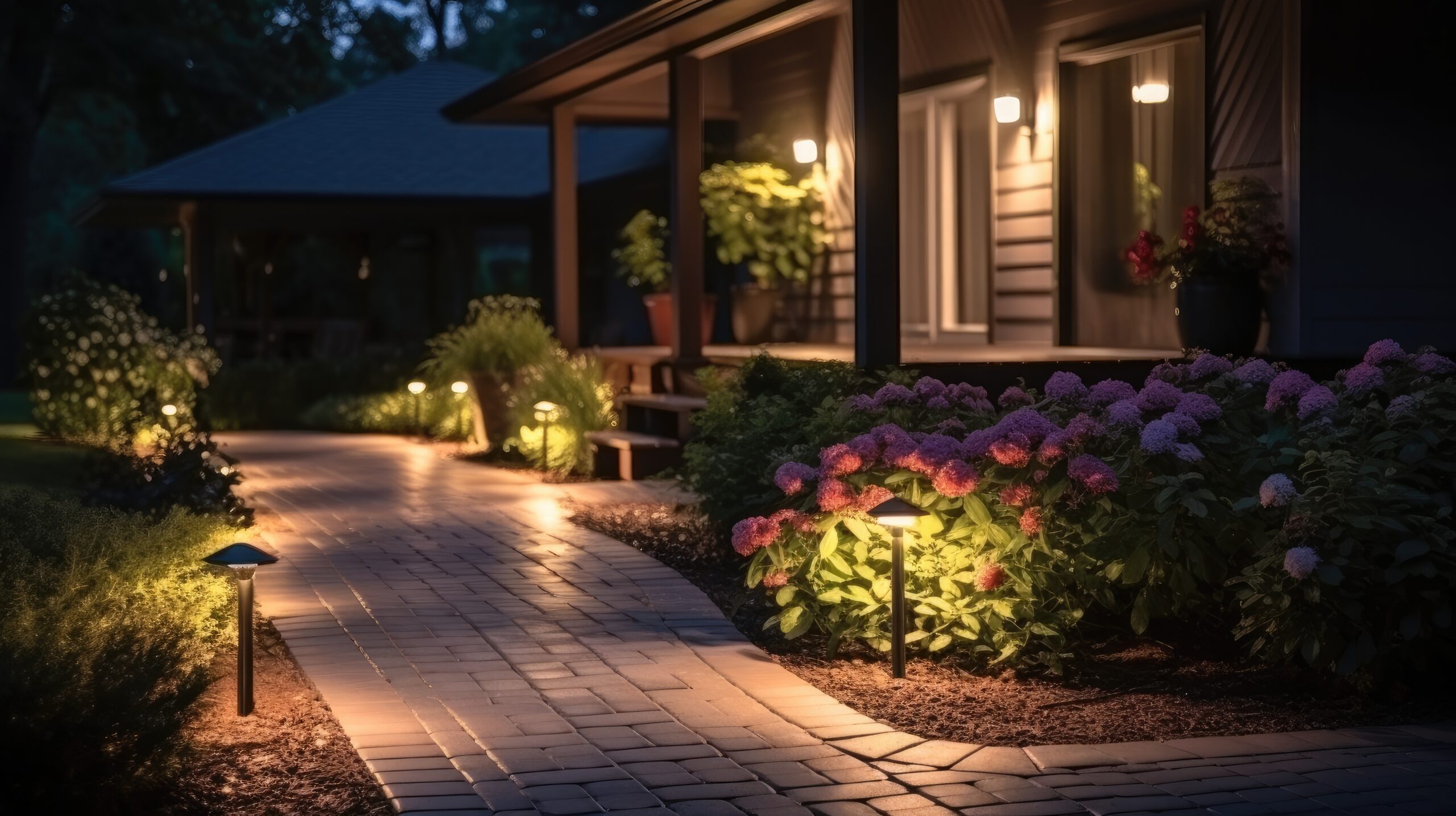
Now divide your outdoor space into different zones. Most homes will have 4 zones: front, each side, and backyard. If you have a more complex outdoor space, you may want to divide into additional zones: back patio entertainment space, front walkway or driveway, etc…. When we set up smart lights, we assign them to a zone and then your controlling app will activate based on your choices one or more zones at a time. As an example, I may want my front door zone only to light up if it is nighttime and motion or doorbell activity at the front door. Another example would be motion detected in the backyard at night, but for safety, you want the backyard and both side yards to light up to ensure nobody can break into your home unnoticed.

So now that you know where you have concerns or issues as well as what you want to achieve, we can start looking at solutions. The first consideration is electrical. You do not NEED a wired power source because of the availability to use solar or battery solutions, but you need to know that before purchasing equipment. If you want items to be dependent on each other, the easiest solution is to keep everything in the same brand.

For purposes of this conversation I will use “Ring by Amazon” but multiple brands provide similar solutions. If you have a large estate, something like Josh AI is a great solution to automate and control multiple devices of different sources/brands. You are probably familiar with Ring doorbells, but they have motion activated cameras, floodlights, path lighting, etc… All of these items can be interconnected via their app, which you load onto your cell phone or access via your computer. Set up a zone called pathways, which could be solar-powered path lighting, that is set up to automatically come on from a dusk to down. For security, you can have your motion activated cameras automatically turn on any floodlight in their zone whenever it is dark and motion is detected. You could also add the “side zones” so that all sides of your house light up when the backyard cameras register motion. Finally, for an evening party, you can then turn on the “patio” zone. These lights could be setup on a dimmer so you have them provide the appropriate mode lighting and automatically override the evening motion activated full flood.

So as you set up and take down that outside holiday decor, review your setup for some home improvement opportunities. This is a great way to incorporate smart technology that provides the automation and improved security so you can simply enjoy your home. Give me a call if you want some help deciding on the correct equipment and how to design your lighting plan!

Backups and Long Term File Storage

There are an extensive list of options when it comes to desktop/laptop backups and/or long term file storage. First, before we talk about the pros, cons, and differences, let’s consider a few things:

  • You need to understand your industry requirements. If you are talking about patient medical data, military/government data, or company proprietary information, etc…. The first consideration is what rules are you required to follow. As an example, HIPAA requirements prohibit using a distributed server, so many of the default cloud tools would not be allowed.
  • What are your needs? Just about everyone should have a backup but what type and how often? The most common type of backup is incremental and happens automatically in the background. This is a very effective method for capturing data but does NOT capture application or program settings in most cases. Another form of backup is a disk image. This captures EVERYTHING, but it cannot be done automatically, and you cannot be making changes/using the disk as it is being imaged. Great solution for loaded multiple devices with exactly the same image on exactly the same hardware, so everyone has the same tools, but not useful for real time backups.
  • Media — When you are talking about file storage, what material or device you storage the data will be directly related to how long it will be viable for retrieval. You need to know how long you want to keep the data so you can pick a media/device that will exceed your requirements. You also need to understand the requirements of that media/device. For example, I know many users who stored their old tax returns on CDs. This seems like a very good idea. CDs are durable, can hold a lot of data, and relatively inexpensive. The problem is most people used labels with an adhesive that corrupted the storage data over time….or used something like a Sharpie as a labeling method. Unfortunately, just like the label adhesive, ink that is not specifically formulated for CDs will slowly over time destroy the stored data.
  • Have your backup plan/file storage design reviewed by an IT professional. There are too many nuances that can completely invalidate what you are trying to achieve with your backup or file storage system. Most IT professionals are exposed to many unique client situations and can help you prevent making the same mistakes that quite often results in SOS calls. Due to our IT industry exposure/networking, we know the latest technology options, changes in various industry regulations, and “horror” stories of data failures.
  • Unique geographic risk factors. For example, in California, we deal with wildfires. I personally have had multiple clients think that backing up to a local external drive at their business location was a good backup option. Only to realize they lost everything when a fire evacuation was ordered, and they had no ability to safeguard the original computer/laptop or backup device before it was destroyed by fire. A simple 3rd party cloud backup solution would have prevented loosing everything when they were unable to return to their home/business to remove the equipment from danger.

File storage and backup options seem very straight forward and simple, but these decisions when not implemented carefully can have catastrophic consequences.

Setting Up Your Folder/File Structure for The New Year

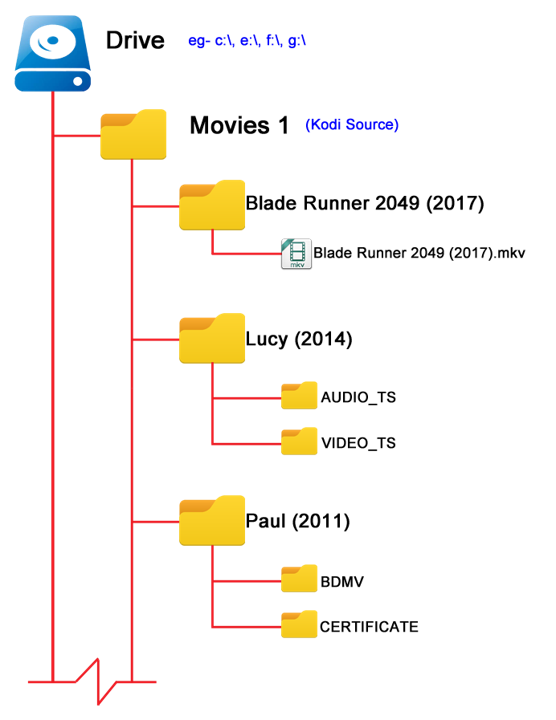
When you create your folder/file structure, PLEASE make them in a naturally archiving structure! What does that mean? For example, most people have a folder called clients and inside that folder they have a folder for each client. Here is the problem. Every time they want to clean out older data, they have to open each folder and remove the older content. Instead, set the structure up like this:

Each Year — Clients — Folder for each client……

Now what will happen is that each year as we approach January, you will create a new year folder and client folders as you need them. The power of this system is 7+ years out when you decide to prepare for the next year, you just grab the oldest year and hit “delete”. So for example I am setting up my 2026 Client folders. I create my 2026 folder, then create folders for my most common/reoccuring clients. As I create my client folders there is some “timeless” data I will copy over (i.e. their logos for example) for each client. This means when I want to delete the oldest folders, I don’t have to worry about loosing data I need for current work. I don’t have to spend hours going through old folders trying to thin out old content.

From a risk management point of view you DO NOT want to keep data you do not need. If you are ever compromised and have client data, you face legal/financial complications related to identity theft for each client involved. If you have lots of data/files and therefore cannot find when you need quickly that completely defeats the purpose of keeping the data.

Give me a call/text/email if you would like some help designing a structure that is easy to maintain, doesn’t have file names too “long” for the backup systems to automatically capture, and drastically reduce your risk if security is compromised.

Upgrade your Outdoor Lighting using Smart Technology!

Are you thinking about adding some outdoor lights to your home? Have you considered if they are going to be controlled by a good old fashion switch or maybe a timer? What about using smart technology? The first question is — Why? What is the advantage to using smart lighting features instead of just a simple on/off switch.

  • Energy Costs — only having the lights on when you need it saves money!
  • Safety — something as simple as having multiple lights come on when a motion sensor activates can make all the difference in preventing theft and other property damage.
  • Convenience — almost everyone has at some point run around the house, flipping various switches to turn lights off. If you had them tied to smart controls, the “switch” could be in your phone (which is typically on you) and can perform more than just on/off.
  • Integration — The real power comes from integrating the lights to other systems. The most obvious one is your outdoor cameras. The motion sensor at the front of the house trips; now the cameras start, the lights at the front and either side of the house come on, etc…. If I am a thief, a lot of attention has just been put on my activities, and I’m leaving.

So what are my smart lighting options. First consideration is what do you currently have installed. For example, if you have a Ring or Blink doorbell those systems including outdoor light control and are already integrated together.

Other options with various pros and cons:

The New York Times wrote a pretty good article about some of the various options available! Link: https://www.nytimes.com/wirecutter/reviews/best-smart-outdoor-lighting-for-backyards-pathways-and-more/

Give me a call, and we can figure out what is the best solution for your needs. For some, it will be buying component pieces that can integrate together…especially if you already have some smart technology installed. For others, depending on your budget and what you are trying to accomplish, going with a specific brand of products that are already designed to work together is probably the right solution!