Transitioning To A Smart Home

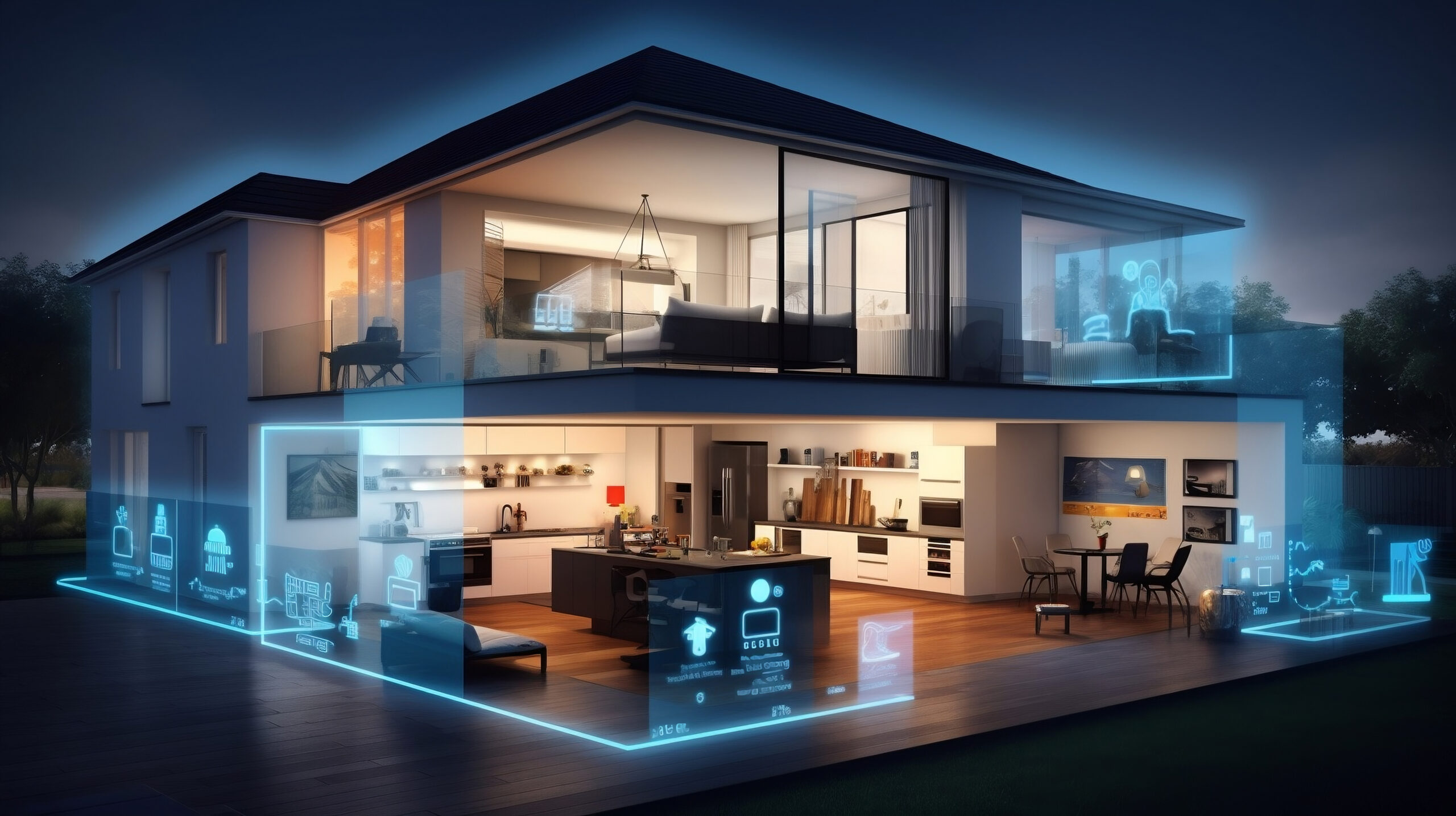
The term “smart home” refers to a building typically a residence that has installed technology to automate and monitor remotely various functions throughout the home. Most people picture a smart home as futuristic, like the Stetsons or Jarvis in Iron Man. It does not begin that dramatic or require a large budget. Click this link if you want to see more information about what is a smart home.

With sufficient budget and a luxury property, you can experience a smart home fully. Be prepared to hire an IT professional to maintain, upgrade, and troubleshoot the installation and usage. It mirrors hiring a professional landscaper for your yard. For this type of experience I would suggestion solutions like Josh AI. Josh AI functions as the brain of a completely integrated system control, monitoring, and optimizing everything from cameras to appliances to smart speaker to lights…and so much more.

Most of us do not need or want something like Josh AI. So let’s first figure out if you even want smart technology in your home, what do you consider an improvement, and what are the risks you add when adding this technology into your daily life.

  • Step 1: Make a list of what you find irritating about your home. Do not worry about if smart technology can solve it. Just make a list of stuff that drives you nuts.
  • Step 2: Go through that list and sort it in order of most to least annoying/impacting to your life.
  • Step 3: Look at each items and see if there is a technology solution to the problems. Some examples are:
    • Problem: My electric bill is way to high.
    • Problem: I hate how dirty the light switches get in the kitchen or bathroom areas because of wet, dirty hands.
    • Problem: I would like to have the ability to have high quality sound throughout my home. I want my setup to include both indoors and outdoors, the ability for different rooms/zones to play from different sources simultaneously or all the same and in some rooms I want to to hook up/connect to the TV screen.
    • Problem: I want outdoor cameras tied to motion activated lights that I can see from my smart phone even when I am not home.
    • Problem: I hate how large/big/heavy my key ring is and how many different keys (or codes) I need to access all the doors and/or gates of my home.
    • Problem: I want a dishwasher that really cleans dishes, doesn’t require an engineering degree to load it so everything fits, and doesn’t “stink” if you forget to keep the door cracked so it can dry the inside of the machine.
  • Step 4: Sit down with someone like myself who understands technology and traditional home products to find the RIGHT solution(s) for your concerns and budget.
  • Step 5: Review the pros/cons a various solutions and how those solutions impact solving other problems/concerns in the future. For example: A specific solution for the dishwasher probably involves a particular brand. Even if your concerns about your washing machine is not as pressing, you want to consider how going with a particular brand for the dishwasher may or may not impact your potential future solution for the washing machine.
  • Step 6: Implement!!!!

Now that we know what we want to solve for let’s talk about what some of these solutions involved and how smart home technology might be the right answer or not. Looking at the first problem, my electric bill. We need to establish what is driving your electric bill. In southern California, probably your AC usage or other high demand appliances like your dryer are causing most of the cost. If that is the case, we now look at how to solve it other than doing things like, cut back on using AC or other high demand appliances. If AC is the problem, my first questions are:

  • What is your current AC unit specifications?
  • What is the insulation in your home?
  • Are you on an Time of Day (TOD) rate plan and does that make sense for your lifestyle?
  • What kind and age are the windows in your home?
  • Where is the theromostat located?

As you can see from looking at this list, not every AC concern involves smart technology. You need to review the pros/cons of each item to determine what is the best combination of solutions. If you have really old windows with little to no insulation in your easily accessible attic space, the best solution may be to upgrade your home insulation and replace windows. If your AC is really old, a newer model combined with a properly located smart thermostat may give you the best results for the price. Sometimes increasing technology or complexity of the items in your home is not always the solution that provides you with the best experience.

Smart home technology shines when you want to increase automation. It can help you integrate items to work together and provides remote control or access when you are not onsite. Skylights capable of opening/closing and coordinate with your HVAC system, whole house fan, various sensors, and other systems is just one example of how smart technology can work in concert.

Give me call and your list or specific home problem and I’ll help you find the “RIGHT” solution!

Smart Locks—The Pros and Cons

The first question I get is, what is wrong with the old tried-and-true method—a key? Answer: Nothing. The decision to change to a smart lock technology should be because you want specific features of that type of lock and you have decided the potential negatives are outweighed by these new features. So, to make this decision, you first need to know your options.

  • Option 1—Traditional key lock. This is great for someone who doesn’t have an issue carrying around a key, has a specific set number of people who need access, the people who need access don’t change, and finally either doesn’t need to monitor who or when access activity happens OR fulfills that need via cameras.
  • Option 2—Mechanical combo lock. This is an often overlooked solution. Perfect for someone who doesn’t need tracking by the lock of who or when access is happening. Someone who doesn’t want all the potential complications associated with technology and, more importantly, solves the issue of needing to carry a key. These solutions are inexpensive, do NOT require a power source, and are straightforward to use and maintain. There are models good for both gate and traditional residential door security. Example Links: https://a.co/d/0ekJ5Owd, https://a.co/d/05HOx4V1.
  • Option 3—Electronic combo lock. This is where options start to occur, and you really need to evaluate the pros/cons of each specific model. Most can have more than one code and track usage by each code. This is particularly useful so your immediate family can have a simple code you always use and never change. Then, when you have someone like a house cleaner or landscaper, you can give them a different code that you change anytime you change services. Typically these locks require a Wi-Fi network and have a battery that will need periodic charging/replacing. Most also have the ability for real-time notifications via a smartphone. I also recommend this solution if you have latchkey kids. Do NOT give them the default home code. Give them a code that is unique to them. This way, if it is shared inappropriately and something happens, you know specifically what code was used, can have that discussion about security with your child (i.e., do not share their home code with your “friends”), and should change it regularly (recommend once a year). Example Links: https://a.co/d/04rKTwhd, https://a.co/d/01WIvesE, https://a.co/d/0cDaXECL. NOTE: I always recommend anything that requires power should always be designed with a physical key backup that is hidden onsite. Some smart lock designs do NOT have this feature. Most of them do have a low battery indicator, but humans tend to ignore messages. You would rather not be locked out of your home with no other alternatives for access other than breaking in.

Your Home — Smart Outdoor Lighting

Most likely you have recently or will soon put up your outdoor holiday decor and this typically involves holiday lighting. Now, as you consider taking them down, let’s review your outdoor lighting and decide about how you want to make some home improvements. As you remove your outdoor decor, look over where lighting is bad, where do you have security concerns, do you have entertainment spaces that need different lighting when you have company over, outdoor steps that are a trip hazard due to bad lighting, etc….

Now divide your outdoor space into different zones. Most homes will have 4 zones: front, each side, and backyard. If you have a more complex outdoor space, you may want to divide into additional zones: back patio entertainment space, front walkway or driveway, etc…. When we set up smart lights, we assign them to a zone and then your controlling app will activate based on your choices one or more zones at a time. As an example, I may want my front door zone only to light up if it is nighttime and motion or doorbell activity at the front door. Another example would be motion detected in the backyard at night, but for safety, you want the backyard and both side yards to light up to ensure nobody can break into your home unnoticed.

So now that you know where you have concerns or issues as well as what you want to achieve, we can start looking at solutions. The first consideration is electrical. You do not NEED a wired power source because of the availability to use solar or battery solutions, but you need to know that before purchasing equipment. If you want items to be dependent on each other, the easiest solution is to keep everything in the same brand.

For purposes of this conversation I will use “Ring by Amazon” but multiple brands provide similar solutions. If you have a large estate, something like Josh AI is a great solution to automate and control multiple devices of different sources/brands. You are probably familiar with Ring doorbells, but they have motion activated cameras, floodlights, path lighting, etc… All of these items can be interconnected via their app, which you load onto your cell phone or access via your computer. Set up a zone called pathways, which could be solar-powered path lighting, that is set up to automatically come on from a dusk to down. For security, you can have your motion activated cameras automatically turn on any floodlight in their zone whenever it is dark and motion is detected. You could also add the “side zones” so that all sides of your house light up when the backyard cameras register motion. Finally, for an evening party, you can then turn on the “patio” zone. These lights could be setup on a dimmer so you have them provide the appropriate mode lighting and automatically override the evening motion activated full flood.

So as you set up and take down that outside holiday decor, review your setup for some home improvement opportunities. This is a great way to incorporate smart technology that provides the automation and improved security so you can simply enjoy your home. Give me a call if you want some help deciding on the correct equipment and how to design your lighting plan!

Upgrade your Outdoor Lighting using Smart Technology!

Are you thinking about adding some outdoor lights to your home? Have you considered if they are going to be controlled by a good old fashion switch or maybe a timer? What about using smart technology? The first question is — Why? What is the advantage to using smart lighting features instead of just a simple on/off switch.

  • Energy Costs — only having the lights on when you need it saves money!
  • Safety — something as simple as having multiple lights come on when a motion sensor activates can make all the difference in preventing theft and other property damage.
  • Convenience — almost everyone has at some point run around the house, flipping various switches to turn lights off. If you had them tied to smart controls, the “switch” could be in your phone (which is typically on you) and can perform more than just on/off.
  • Integration — The real power comes from integrating the lights to other systems. The most obvious one is your outdoor cameras. The motion sensor at the front of the house trips; now the cameras start, the lights at the front and either side of the house come on, etc…. If I am a thief, a lot of attention has just been put on my activities, and I’m leaving.

So what are my smart lighting options. First consideration is what do you currently have installed. For example, if you have a Ring or Blink doorbell those systems including outdoor light control and are already integrated together.

Other options with various pros and cons:

The New York Times wrote a pretty good article about some of the various options available! Link: https://www.nytimes.com/wirecutter/reviews/best-smart-outdoor-lighting-for-backyards-pathways-and-more/

Give me a call, and we can figure out what is the best solution for your needs. For some, it will be buying component pieces that can integrate together…especially if you already have some smart technology installed. For others, depending on your budget and what you are trying to accomplish, going with a specific brand of products that are already designed to work together is probably the right solution!

Using Smart Home Technology — Smartly!

When it comes to smart home technology, there are an endless amount of possibilities if you have an unlimited budget. The first decision you need to make is what are your priorities and how much they weigh against each other. Some want their home to automate various household duties so they get more time for other tasks in our life. Many of us look at smart home technology as a way to increase the value of our home investment. Some look for security enhancements, especially as the world becomes more crazy. Other considerations are the “wow” factor. The ability to say, I have this and it is great! Most of us have multiple priorities, but they are not all of equal value.

Make a list of your wants. I want to automate some maintenance tasks. I want help with the efficiency of tasks like laundry, cooking, etc… Your concern may be energy consumption without having to negatively impact your day-to-day life. Once you have that list, break each item down into how that happens. Do you want to upgrade your lawn watering from the garden hose sprinkler setup to a permanently installed irrigation system with soil water sensors and computer controls? Now you need to work with the right specialists to see how you are going to accomplish your wants and what will it costs. Another consideration is the complexity of the solution. If you are not technically inclined, you do not want a solution that requires constant human supervision/input to ensure optimal performance.

Now you need to look at the various solutions and see which is the priority. It may be that you really want to install solar panels with a whole house battery option, but considering you have a new roof and the cost of installation, it may not be as good of an investment as upgrading various household appliances. Both would give you productivity/efficiency improvements but with completely different household impacts and budgets.

This is where someone like myself who is familiar with a very wide range of technologies can be really helpful. I can help you make this decision with informed knowledge. Coordinate the solution with various installers to minimize the installation disruption to your life and household. Make sure you are left with the appropriate knowledge to use and maintain the new technology.

For example, you decide that you want to improve energy efficiency to minimize AC needs. So upon reviewing your current setup, we tackle this problem with multiple solutions. First we review your AC equipment to see if it should be upgrade or replaced. Let’s assume that your unit is not new but fully functional and not horrible on energy usage. Next we look at your home. Maybe we think about windows. Something simple like upgrading to double pane windows with blinds built inside between the glass panes could be a major enhancement. We might also consider your home insulation. Insulating everything probably doesn’t make sense but enhancing the attic insulation and maybe just doing the west/south facing exterior walls could give us significant enhancements to your ability to control the interior temperatures without needing extensive AC usage. Let’s say when you recently did that roof upgrade you installed some skylights that have the ability to open and close using a manual hand crank. Now we have an opportunity to really think about smart technologies. Using a local contractor we could install a motor to open and close the skylights via the manual hand cracks. The motor could be installed on a “smart switch”. Now that switch can be controlled wirelessly via an app on your phone. Lets assuming you install a whole house fan that you also can control via a smart switch. You would probably set up another switch/controller on your AC system. Now you can use your phone to turn on/off the AC, open/close the skylights, turn on/off the whole house fan, etc…. Depending on the app involved, you could have all of that tied directly to some temperature settings. So if temperature is above X use AC and close everything up. If it is between X and Y; turn off AC, open skylights, and turn on whole house fan (assuming the rain sensor says it is dry). If it is below X, close everything up and turn heater on.

Someone like myself can help you see the effective solutions for today and the long term plan so as equipment is replaced over time you have technology that can work together. There are even AI systems that can monitor, control, and optimize these technologies assuming you make informed decisions about compatibility.

Smart Home AI

AI (artificial intelligence) has become the latest “tool” for home automation and smart enhancement. As with any IT upgrade, you have to remember that you are trading privacy for features and functions. For most of us, this is an acceptable trade-off. Remember to consider that something has to have access in order to “respond” when you speak a specific command, function based on camera data, etc…. If you work from home, make sure you consider your industry/work security requirements before install AI or just smart home features. For example, a smart TV that responses to voice commands might not be appropriate in your home office if you have meetings via your computer or in person involving proprietary, government, or other very sensitive client data. Especially if that TV is functioning using a foreign based service.

Combining smart home features and functions with AI can take your home experience to the next level in automation, security, and personal convenience (or frustration if it is not working correctly). Josh.ai (https://www.josh.ai/) is one of the top currently available AI services that specialize in home automation. Chaptech IT (https://www.chaptechit.com/) which is located in Orange County, CA is an amazing service provider for integrating technology in larger estates/properties.

The key to understand is AI is great at responding in a specific way based on specific inputs….especially multiple inputs. For example, a simple technology we are all familiar with is the thermostat. You set it to turn on AC if temperature is greater than X and turn off AC when temperature is lower than Y. A smart thermostat would combine that basic ability with a connection to the internet so you can interface with it via your phone (i.e., when you are not at home), controls so it can decide if AC, heating, or just fans would be the best solution for the temperature specified by the owner, and some basic logic ability to make these decisions. AI would take this to the next level. One example might be integrating skylight controls, windows, and whole house fans into this setup. Now the AI can determine confirm that it is not raining, so the skylights can be opened if needed, entire house fans can be used instead of AC, windows can be opened/closed as needed. Inside and outside temperatures can be monitored so the most energy efficient solution can be selected for the client’s desired home temperature.

This is just a heating/cooling example, but smart technology or combining it with AI can be used for everything from vacuuming floors to pool controls to kitchen appliances to solar/wind power generation. Technology for your home is exploding, and how you enhance your home to improve its value or your experience will become one of the major differences we will see. If you are thinking about making changes or preparing it for selling, you need to think about smart technology. The infrastructure to make it work like wiring is a great upgrade to consider, even if you don’t plan on using it yourself. It enhances the value and gives you options in the future. Anytime you open up walls you should be thinking about if you need to make any changes to water, electrical, insulation, or basically anything that goes inside the wall.

Give me a call, text, reach out via this website; if you have questions and need some help making “smart” decisions!

Company Training — Is Yours Up-To-Date?

Typically, most small business owners have very little accurate/up-to-date company training documentation. Even more importantly with millennials, the training is typically a list of steps and not screenshots or short video formatted. Unfortunately, this becomes apparent when attempting to onboard a new team member. It is not unusual to see new employees updating training as they are attempting to onboard and function in their new job/role. This sets everyone up for failure.

Even as an employee, if the company doesn’t have up-to-date or complete training documentation on your job/role/responsibilities, do it yourself. This information is invaluable when preparing for your performance review, updating your resume, or requesting help/additional staff.

Historically, training is a list of steps that may or may not include how to information. Today, younger employees find this lacking. They are expecting screenshots or short video detailing/showing the steps outlined in the training. Before using various smart or recording tools, make sure you are not violating any company policies. Quite often 3rd party tools will keep a copy of the data/screenshots involved in any training you create using their services. This could be a violation of your company’s policies and result in company or client data loss.

Some Currently Available Smart Tools:

Obviously good training content can be created using typical resources like Microsoft Office, Apple Office programs, etc… but remember it should be more involved than a list of steps. The content must be up-to-date, accurate, at a minimum include screenshots, probably include short video examples, and include url/program specific information. Don’t make the user have to look up content elsewhere just to complete a step or understand an instruction.

Give me a call if you need some help updating your company training content. Don’t forget to regularly have employees review their current job/roles/duties in relation to training and documentation content to ensure it is current and reflective of their duties. Waiting until someone turns in a notice, retirement, or medical emergency is not a recipe for success.

Making Your Lawn Care — Smart!

Typically, most of us solve this problem by hiring a lawn maintenance service. For some, that is the best solution. But, if you want to do it yourself, consider some of these new tools!

  • Husqvarna Automower 415X Robot Lawn Mower (https://a.co/d/4FPgO3X). This GPS assisted robot will ensure you always have a freshly cut lawn. Good for yards under 0.4 Acres.
  • Sunseeker L22 Plus Robot Lawn Mower (https://a.co/d/cJOWvDO). This guy can handle just about any yard layout and has both rain and boundary wire sensors. The device is IPX5 waterproof, so easy to clean off with a hose.
  • Segway Navimow i105N Robot Lawn Mower (https://a.co/d/9bPk4i0). This is probably the best option if you are not a “geek” or not comfortable with technology.
  • Irrigreen Lawn Irrigation (https://irrigreen.com/). Keep a green lawn and use up to 50% less water than other systems.
  • B-Hyve Smart Water Management (https://www.orbitonline.com/collections/b-hyve). Completely customizable system with a complete array of products for DIY water management installations.

In addition to these DIY tools, professional services are now using AI-Driven lawn analysis to customize your care needs. This greatly reduces chemical usage while improving lawn health. New eco-friendly fertilization and soil health monitoring tools/products are now available to ensure your yard rivals the local golf course!

Don’t forget, some are choosing to just go astroturf or native only plants! Either of these solutions can greatly lower your maintenance while still providing that perfect curb appeal look.

Note-Taking or Meeting Notes — How AI Has Changed The Formula!

One of the first things most of us learn is how to take notes. This is used extensively in your childhood education years but also later in life. Almost any business you are in will involve meetings. How to take notes (either by memory or written) is a must. If you are going to college or trade school, capturing data from a lecture will be a requirement. Almost everyone has experienced that family phone call or friend chat where you wished you has some written notes to reference!

How to do that has changed radically because of artificial intelligence (AI)! At very low cost, there are now multiple devices that use new and highly improved sound capturing tools combined with AI analysis to create extremely accurate and effective notes. Some of these devices are even HIPAA-compliant, if your industry has such requirements. Here are a few examples:

  • Jamie (https://www.meetjamie.ai/) — Features: Transcription, speaker recognition/memory, action item detection, AI assistant, multiple languages, summary maker, ability to use offline, works with most Video Conferencing Platforms; I consider this one of the better computer/laptop based type programs with a simple interface, but the major drawback is no video recording available and no mobile app is available yet.
  • Tactiq (https://tactiq.io/ai-tools/ai-note-taker) — Features: Complete integration with Google Meet, Zoom, Microsoft Teams, multiple Languages, real-time transcription, speaker recognition/memory, automatically saves transcripts to Google Drive. I consider this one of the best virtual meeting note-taking tools, but it is limited to only Chrome.
  • Plaud Note (https://www.plaud.ai/products/plaud-note-ai-voice-recorder) — Features: Uses 2 different AI models, 30 hours continuous recording/60 days standby/64GB storage device, multiple languages, Multiple templates for note-taking format/results, Unlimited cloud storage, very small physical device. I consider this one of the best stand-alone devices. The very simple design means it will almost fit in your wallet and differently any purse/bag you may take to a meeting. It will fit into most men’s pants pocket. Create preloaded template tools for AI analysis of meeting including mind maps, action items, and multiple summary formats.
  • HiDock (https://www.hidock.com/) — Features: Desk Docking Station Device, has a WebApp version, transcribes up to 4 continuous hours of audio, speaker recognition/memory, multiple Languages, multiple template formats for summaries, exports into multiple formats, Lifetime free transcription service with device purchase. For the person with a designated office (especially for an office administrator supporting multiple co-workers)

This list is not all-inclusive of features and other options are available, but if you have a kid getting ready for college, a small business owner (i.e., cannot afford support staff), an office worker, etc… something like this is a game changer. When in a meeting or lecture, they can be listening and participating without worrying about capturing content for future review. If you work for a company, obviously you will need to coordinate with them to ensure any industry or company specific security needs are met. Some of these systems/tools have enhanced security features. If you just require some help and don’t have IT support, give me a call and I can help you figure out which solution would be the best for you.

Smart Appliances — Ovens

Are you looking to make an oven upgrade to your kitchen and want to know about a “smart oven”?

What are the advantages of a smart oven?

  • Wi-Fi connectivity allows you to control your oven remotely through your phone/computer.
  • Real-Time notifications means you don’t have to be in the kitchen to “hear the buzzer”.
  • Voice controls allow you to be hands-free. This is especially useful in the kitchen when your hands typically involved in food prep.
  • Various automatic cooking controls allows you to never miss a critical temp change or oven setting during the cooking process.
  • Enhanced energy efficiency.

Here are some currently available models to consider.